Build your clients' websites. Fast to build, fast to load.
Create a site in one form and it's live with a modern design and its first pages already written. Edit every page in your browser and publish with a secure certificate. Pages load fast out of the box: pictures resized for you, fonts and scripts served from the site itself, caching already set up. No separate hosting account, no plugins to update, no analytics service to set up.
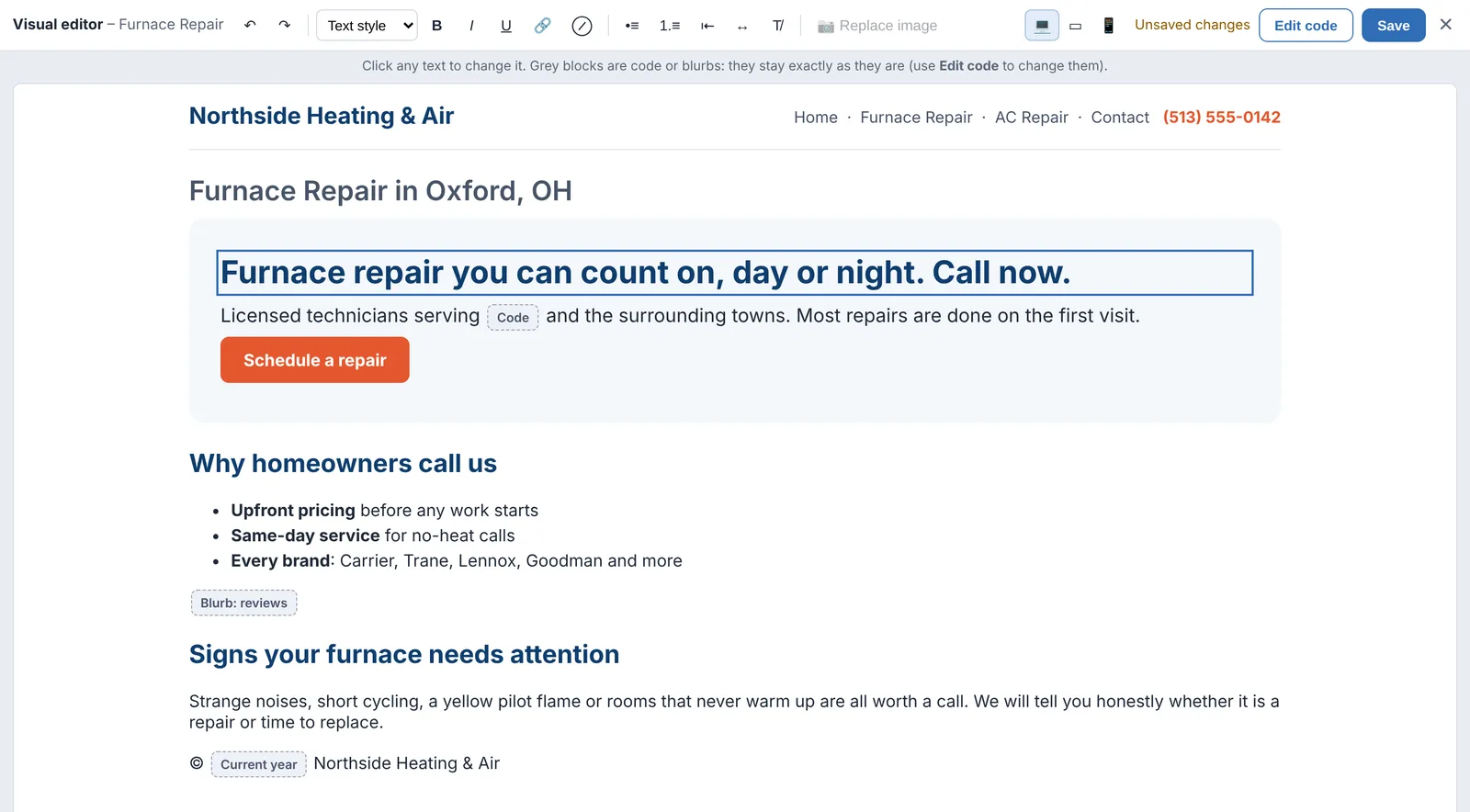
Edit a page the way it looks on the site.
Open any page or blurb in the visual editor and it appears inside the site's own header, footer and styles. Click a heading or paragraph and type. Save when it reads right.
- Bold, italics, links, headings, lists and alignment from one toolbar, with undo and redo
- Click a picture to replace it with an upload
- Preview desktop, tablet and phone widths before you save
- Code and blurbs show as locked blocks and are saved back exactly as they were; only what you change is changed
- One click back to the code editor whenever you want the HTML
- Every save is kept: open Earlier versions to see how a page looked before, and put any version back in one click
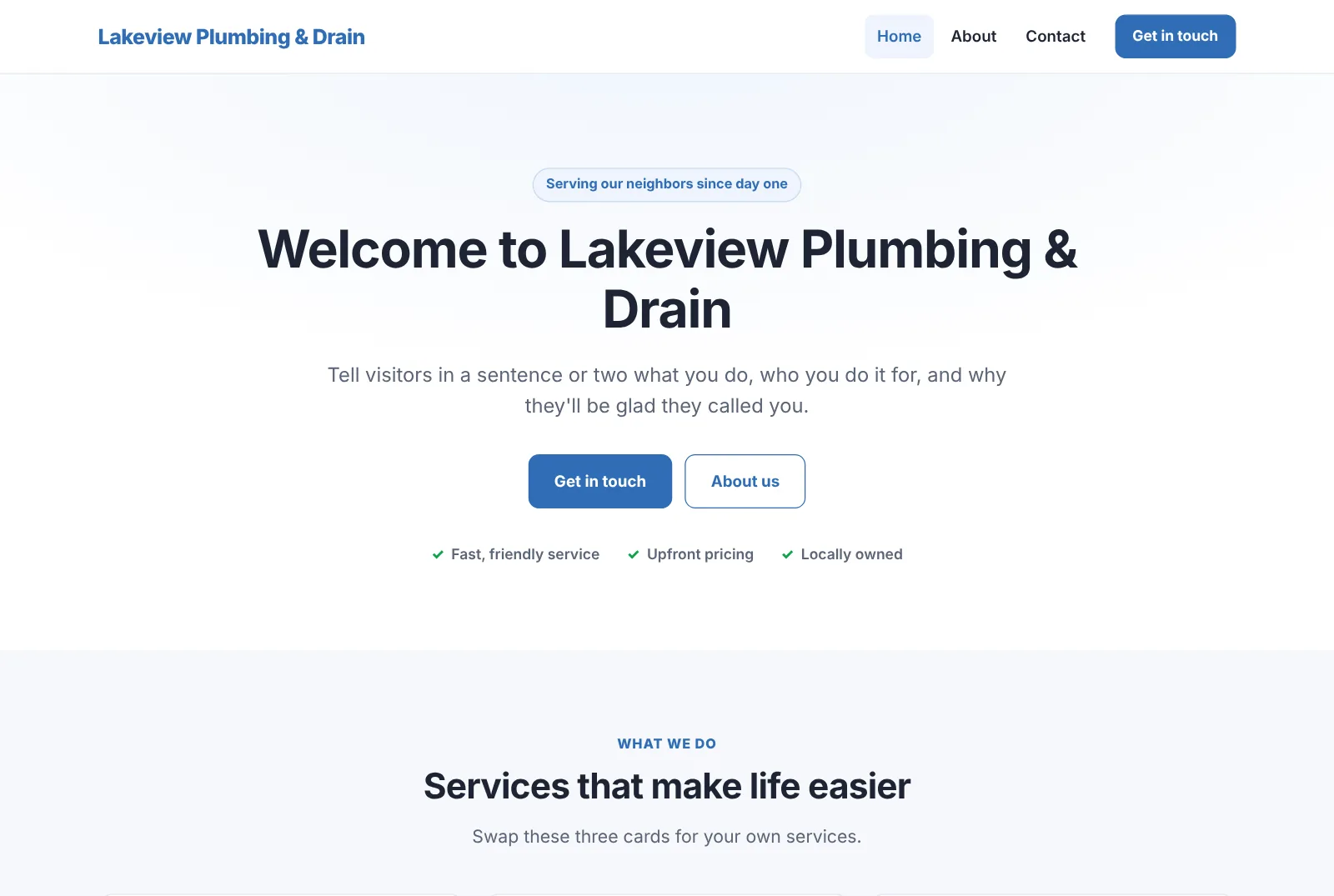
A clean, modern site from the moment it's created.
New websites start from a fast, phone-friendly design with Home, About and Contact pages already written and published. Swap in the client's words and photos and it's ready to show them.
- The menu builds itself from your pages: turn on Show in Menu, set the order and parent pages, done
- Drop-down sub-menus on computers, a tidy tap-to-open menu on phones
- Upload the client's logo and it appears in the header automatically
- Ready-made blocks for hero sections, service cards, checklists and call-to-action bands
- Titles, descriptions and share tags on every page for search engines and social media
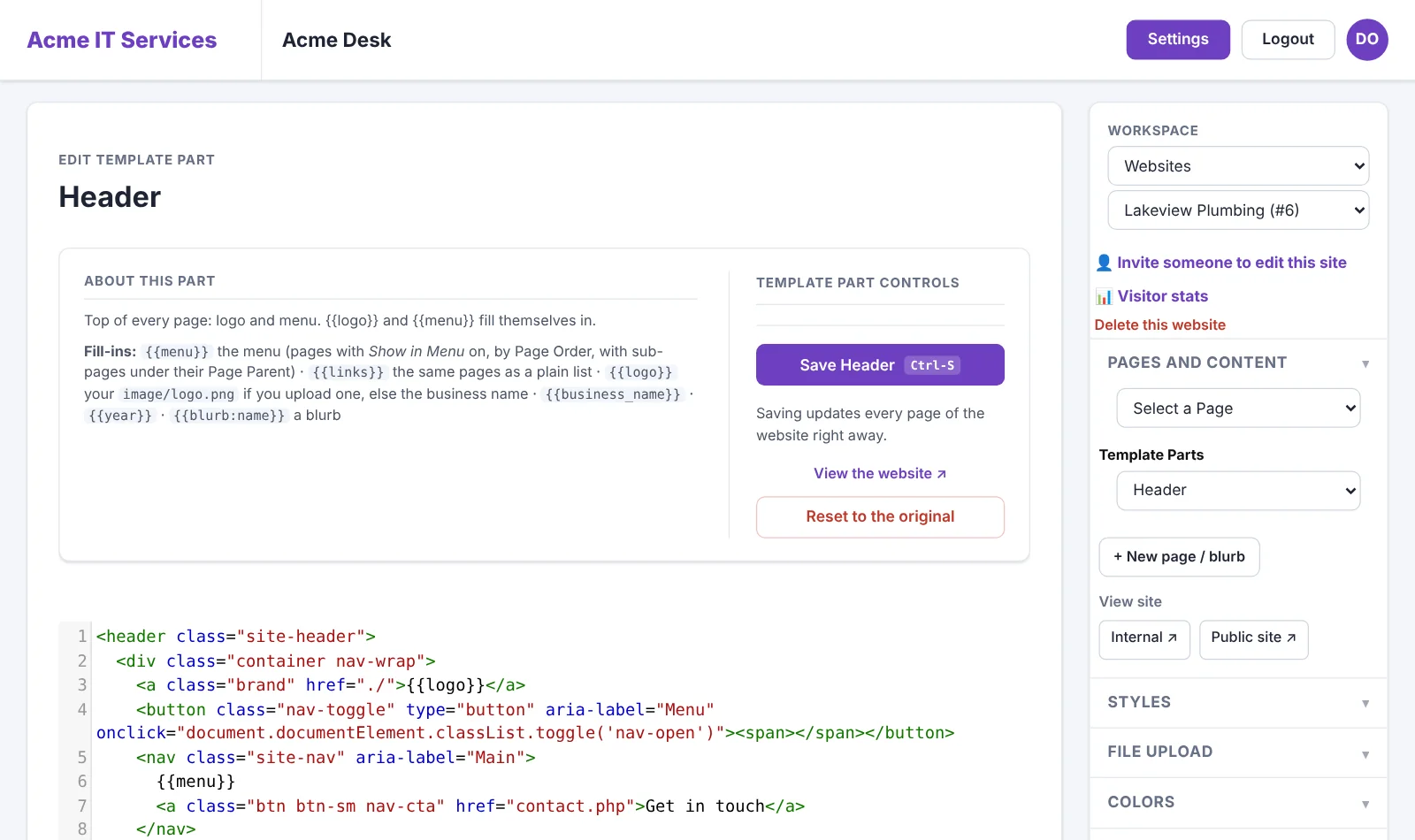
Header, footer and styles, edited like any page.
Pick Template Parts in the editor and open the site's Header, Footer, Styles, Head or Scripts. Change it, press Ctrl-S, and every page of the website updates at once.
- Recolor the whole site by changing one brand color at the top of Styles
- Rather point and click? Styles, colors and fonts set in the editor's panels go on top of the Styles part
- Fill-ins for the menu, the logo, the business name and the year, so the header never goes out of date
- Add analytics, verification tags or a chat widget to every page from Head or Scripts
- Reset any part to the original with one click
- Older sites switch to the modern template in one click, with their old files kept as a backup
- You decide who gets Template Parts: they're off for clients you invite until you switch them on
One form from domain to live site.
Enter the domain and the business details and pick a template. The site is created with its pages in place and the business name filled in, and the domain is connected to hosting.
- Clear DNS instructions with a live check, so you know exactly when the domain points at us
- A secure (https) certificate is issued automatically once DNS is in place
- Link the website to its client record
- Unpublished pages stay private: previews only open for you while you're signed in
- Fast pages: fonts and scripts served from the site itself, pictures resized on upload and loaded as visitors scroll, and browser caching set up for you

Every page, menu and style in one place.
Pick a page from the panel on the right, edit its content and settings, and press Ctrl-S to save. Publish when it's ready.
- Pages and reusable blurbs, with menu placement, parent pages and order
- Unpublish a page to take it (and its location and title versions) off the live site while you keep working on it; deleting a page takes it down too
- Template Parts for the site's Header, Footer, Styles, Head and Scripts
- Image and PDF uploads; images are cleaned, turned the right way up and resized for the web on upload
- Edit visually, or switch to the HTML with a full code editor

Your clients' sites, without the busywork.
Free for 14 days. No credit card needed to start.
Show up in every town your client serves.
Local service businesses win on local search. The editor has the tools for it built in.
- SEO title, description and keywords on every page
- Location pages: list the towns a business serves and publish a version of a page for each one
- Title variants for the same page, and a sitemap generated for you
- Google and Bing tools, visitor stats, and your own visits left out of the numbers
Furnace Repair, published for each town on the list:
- furnace-repair.php
- furnace-repair-Oxford-OH.php
- furnace-repair-Hamilton-OH.php
- furnace-repair-Fairfield-OH.php
- sitemap-0.xml
Know which sites and pages bring in customers.
Every website you host counts its own visitors from the day it goes live. Nothing to install and no separate analytics account: open a site and choose Visitor stats.
- Visitors, page views, pages per visitor and how many are on phones
- Visitors per day, compared with the period before
- Top pages and the sites visitors came from: Google, Facebook, Yelp and the rest
- 7 days, 30 days, 90 days or 12 months
- No cookies and nothing personal stored; bots and your own visits are left out

Your best websites and pages, the moment you open the editor.
The website editor opens on your top six sites by visitors over the last 30 days, each with its three busiest pages and how it's trending against the month before.
- Click a site to open it straight away
- Full visitor stats for any site: visitors, page views, top pages, where visitors came from, mobile share
- Your own visits are left out of the numbers

Count visits to sites you didn't build here, with one line of code.
Your company's own website, a client's WordPress site, a landing page somewhere else: add the domain under Settings → External sites, paste one line into its pages, and its visitors show up next to everything else.
- The same report as your hosted sites: visitors, pages, sources and phones
- External sites appear in your Top websites chart, so you see every site in one place
- Only counts visits from that site's own domain, so nobody can inflate the numbers by copying the code
- Leave out your office's IP address so your own visits don't count

See every client site's visitors in one place.
Free for 14 days. No credit card needed to start.
Pricing tables, logos, reviews, maps, chat and forms, without another subscription.
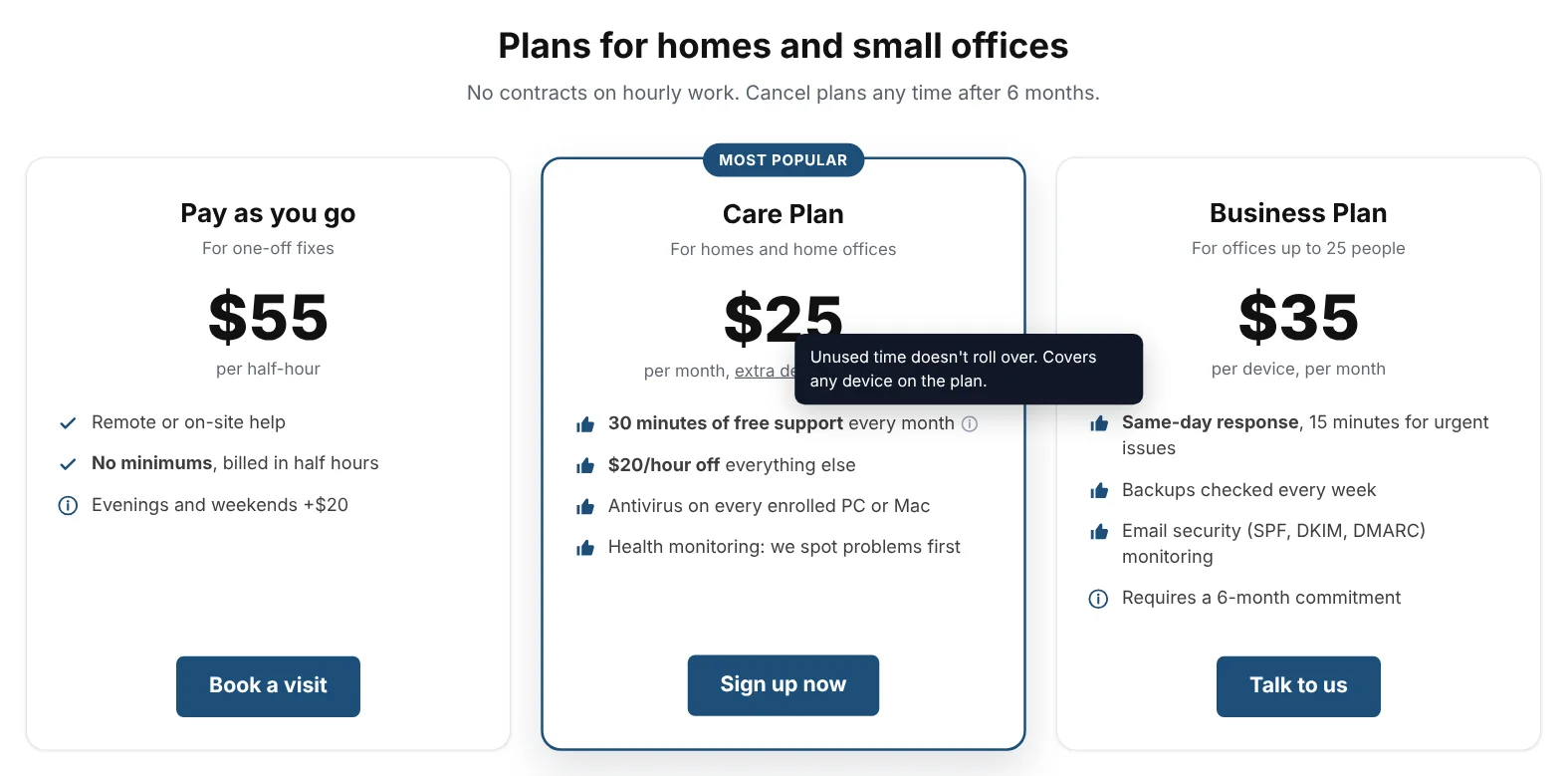
Build a pricing table, a logo showcase, a reviews wall, a map, a chat bubble or a form once and put it on any website, built here or not, with one line of code. Change it here and every site that shows it updates.
- Pricing tables with badges, "what's included" lists, hover details and buttons that go straight to your sign-up forms
- Logo showcases that scroll or sit in a grid
- Reviews from Google (imported from your Business Profile), eBay (from your feedback page) or anywhere else, with your star rating
- A Google map of the business with an info card: address, phone, hours and a directions button
- A chat bubble: Claude answers from what you tell it (on your own Claude API key), or click Read my website and it writes that up from the site's pages for you; "Talk to a person" emails you the conversation
- Share widgets with the clients you've invited to edit their websites: with every site or chosen ones, view only or editable. They can copy a view-only one into their own library to change it.
- Moving from Elfsight? Paste a widget's code and it comes over with its settings and logos
Contact, sign-up and donation forms, without Jotform.
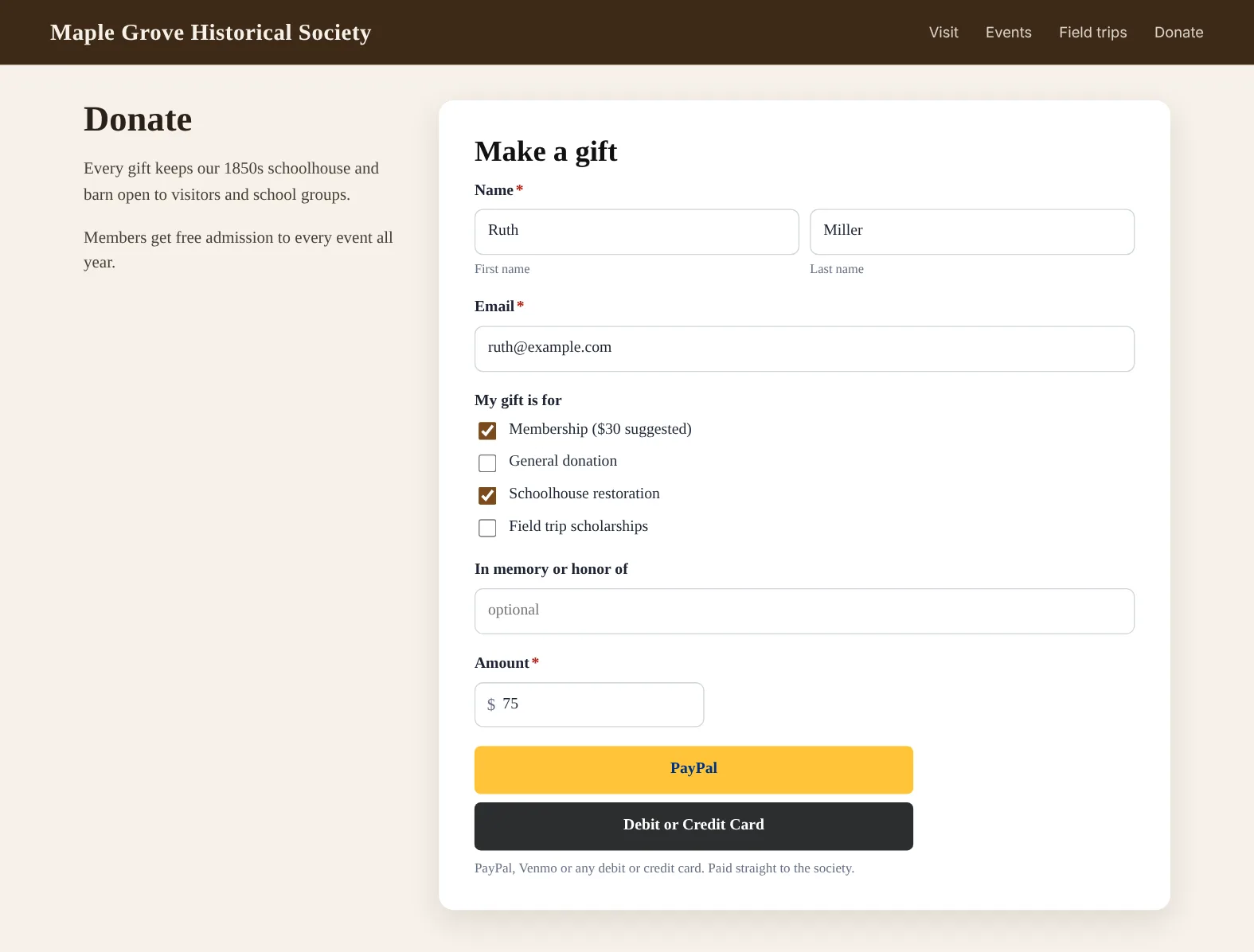
Make a form with your own questions and put it on any website with the same one line of code. Every entry is emailed to whoever that form names, you, your client or both, and kept in your workspace.
- Name, email, phone and address fields, short and long answers, dropdowns, checkboxes, dates, numbers and amounts, with an "Other" choice they can type in
- Each form sends to its own list of people; replying to the email answers the person who filled it in, and they can get a copy
- Emails carry your client's name, and their own address once their domain is verified in your ZeptoMail account
- Take payments and donations through your client's own PayPal, paid straight to them: PayPal's buttons on the page (PayPal, Venmo or any card), or just their merchant ID with PayPal's checkout page
- Moving from Jotform? Paste a form's link and its questions come over, along with the PayPal account it was paying into
- Every entry listed under the form, with payment status, and downloadable as a spreadsheet
- Spam checks that don't make people solve puzzles
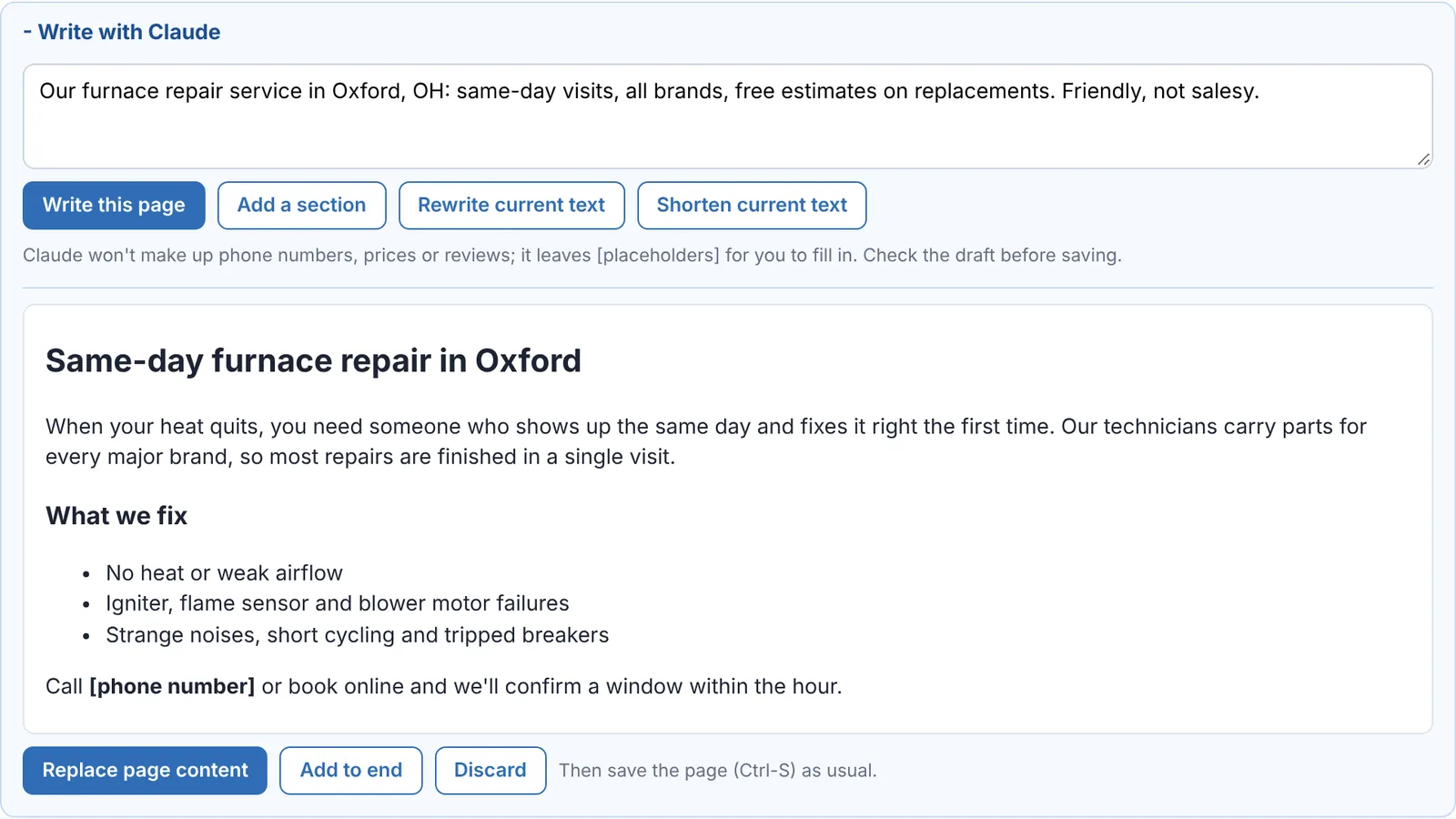
A first draft of any page in seconds.
Describe the page in a sentence and Claude writes it, using the business name and page title. Nothing changes until you choose to use the draft.
- Write a page, add a section, rewrite or shorten what's there
- SEO description and keywords suggested from the page itself
- Never invents phone numbers, prices or reviews; it leaves [placeholders] for you to fill in
- Drafts included each month; after that, pay as you go with Claude credit (with auto reload) or connect your own Claude key
Let clients edit their own site, and nothing else
Invite a client by email to edit one website. They choose a password and go straight to their site.
Only their website
They can edit pages, styles, colors, fonts and SEO, upload images and publish. They never see your clients, your other websites or your settings.
No code, no risk
Client editors can't add server code to pages, and websites run in safe mode, so page content can't run code on the server.
Your widgets, ready to use
Share forms, maps, reviews and pricing tables with their website. They paste the code into a page, edit it if you allow it, or copy it to make their own version.
Revoke any time
See who has access to each website and whether they've accepted. Revoking takes effect on their next click.
Launch your next client site this week.
Free for 14 days. No credit card needed to start.
Simple website pricing
Every workspace includes 1 client website with hosting and a secure certificate as part of $99/month. Each additional website is $20/month, added from your Billing page whenever you need it. Pricing questions →
And the clients behind the websites
The same workspace keeps your client records, monitors their Windows PCs and tracks their backups and plans. See client & device management →
Build your first client site today.
Start a free 14-day trial. No credit card needed to start.