Remote support that's already on every client's PC.
With a standalone remote tool, you still have to install it, keep it running, and ask the client for an ID and password. In SilverTech Master System, remote access rides on the monitoring agent you already have on every computer: click Connect on the computer that needs you and you're on its desktop, with nobody needing to be there.
Remote access, looked after for you
One click from the alert
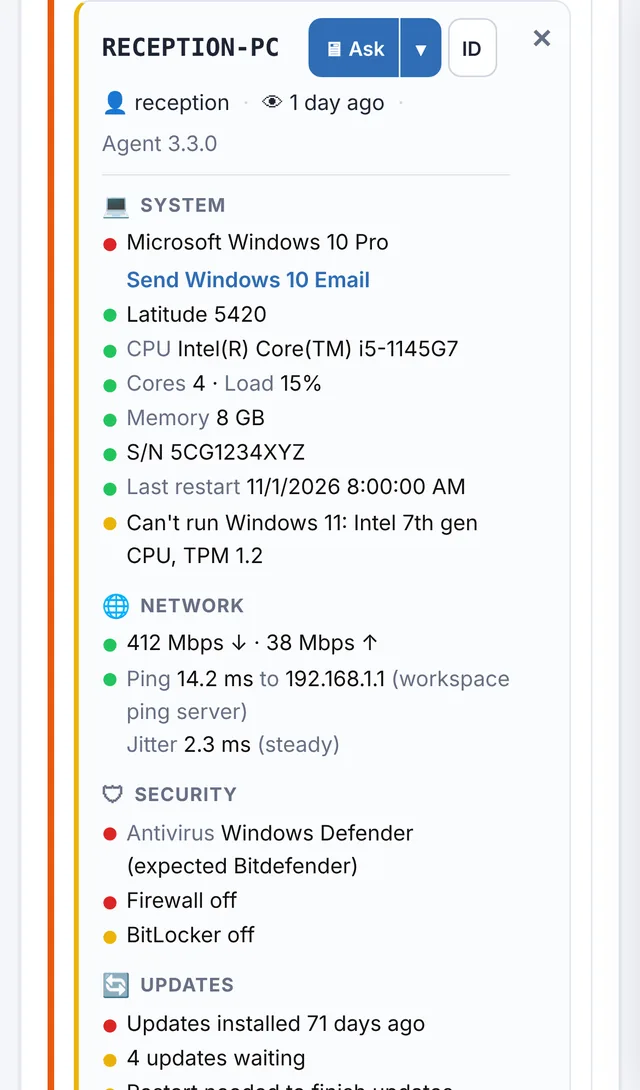
See a PC in Needs attention, click Connect, and RustDesk opens straight to it with its password filled in.
Unattended
RustDesk runs as a service, so you can get in before anyone signs in and after a restart.
Fast, direct connections
Your computer usually connects straight to theirs. When it can't, it goes through our own private relay, not a public one shared with everyone.
Rotating passwords
Every PC gets an unattended password that changes on its own every day, stored encrypted in your workspace.
Ask first, per client
For clients who want it, the person at the PC clicks Accept. If nobody answers, you can still get in.
Audit log
Every Connect and every password lookup is recorded with who did it and which machine.
The agent installs it, configures it and fixes it.
Turn on remote access in Settings and each PC installs RustDesk at its next check-in, pointed at our private server. If it ever stops running or gets uninstalled, the agent puts it right at the next check.
- New PCs set themselves up the same way
- No RustDesk shortcut on the desktop, and its tray icon is hidden unless you want it
- Leave it off on any single PC for a client who'd rather not have it
- Turn it off and it's removed from the PCs at their next check-in

Connect from your computer or your phone.
Install RustDesk on the computer you work from, and on your phone if you like, then paste in the two settings your workspace shows you. Need to run a command without taking over the screen? The console and file browser on each computer's card do that too.
- Windows PCs, and Macs when you switch it on while you're on the phone with them
- Remote console and file transfer without interrupting the user
- Restart or shut down with a message and a countdown
Turn on remote access and connect to your first PC today.
Free for 14 days. No credit card needed to start.
Questions
Is this TeamViewer?
No. SilverTech Master System uses RustDesk, an open-source remote desktop app, running on our own private server. You get the one-click workflow without a separate remote access subscription per technician.
How is remote access priced?
As an add-on to your workspace, priced by the number of PCs you turn it on for, with no limit on technicians. See the FAQ for current prices.
Do my technicians each need a license?
No. Anyone with full access to your workspace and two-step sign-in can connect.
What about attended, one-off support?
It's built for clients whose computers you look after, with the agent installed. For a one-off session with someone who isn't a client yet, install the agent or use a quick-support tool.
Stop asking clients to read you a password.
Free for 14 days. No credit card needed to start.