Know every client, every computer, and what needs you today.
Your clients, their PCs and Macs, their backups and their support plans in one workspace, with the problems sorted to the top before anyone has to call.

The first thing you see: what needs attention.
Open your workspace and the Alert Center is waiting: how many machines checked in today, which have gone quiet, and a short, sorted list of what actually needs you.
- Offline machines, low disk space, failing disks, worn SSDs, failed backups and warranties about to end
- Overdue Windows updates, PCs that haven't restarted, antivirus, firewall and BitLocker problems
- Connect on any machine to open a remote session (remote access)
- Click any computer to jump straight to it, and send the right email from the same row
- Managed backups (Syncthing) that aren't running or have no backup level set
- Machines still linked to clients you've deleted, so nothing gets lost
- Thresholds you choose: days offline, GB free, drive temperature, warranty warning
- A last check-in bar that shows your whole fleet's health at a glance

Client emails that look like you and arrive
Low disk space, backup reminders, Windows 10, disk errors: one click from the Alert Center, written the way you want.
Your words New
Edit every email in Settings, with placeholders for the client's name, machines and links, and a live preview.
Your own emails
Write new ones and tie each to a condition, like "SSD worn out". A button appears on every computer that matches.
Send to everyone, carefully
Email every matching client at once after you review the list and confirm. Recently emailed clients are skipped.
Or let them send themselves New
Switch on Send automatically for any email with a condition, like low disk space, and it goes out once a day to the clients that qualify, never more often than its wait. Off until you turn it on.
More than one business
Each brand has its own name, logo, color and email address, and can send through its own email account.
DMARC reports New
See which servers sending as your clients' domains fail SPF and DKIM, why, and what to fix. How it works
Email health reports New
Assign each domain to its client, then send them a plain-language report on their email, in your brand.
Know what needs you before your clients call.
Free for 14 days. No credit card needed to start.
A PC health agent on each PC. The details come to you.
Run one install command or installer on your clients' Windows PCs and Macs (or add it to your RMM) and each one checks in twice a day. New machines appear under Assign New Machines with a suggested client, so you can link them in one click.
- Windows Update, antivirus (any brand), firewall, BitLocker and activation
- Disk health, SSD wear, free space on every drive, battery health and Windows 11 readiness
- Model, serial number, memory, last signed-in user, weekly internet speed, ping and jitter, and backup results
- Your logo in the client's taskbar, and a machine dashboard on your own website

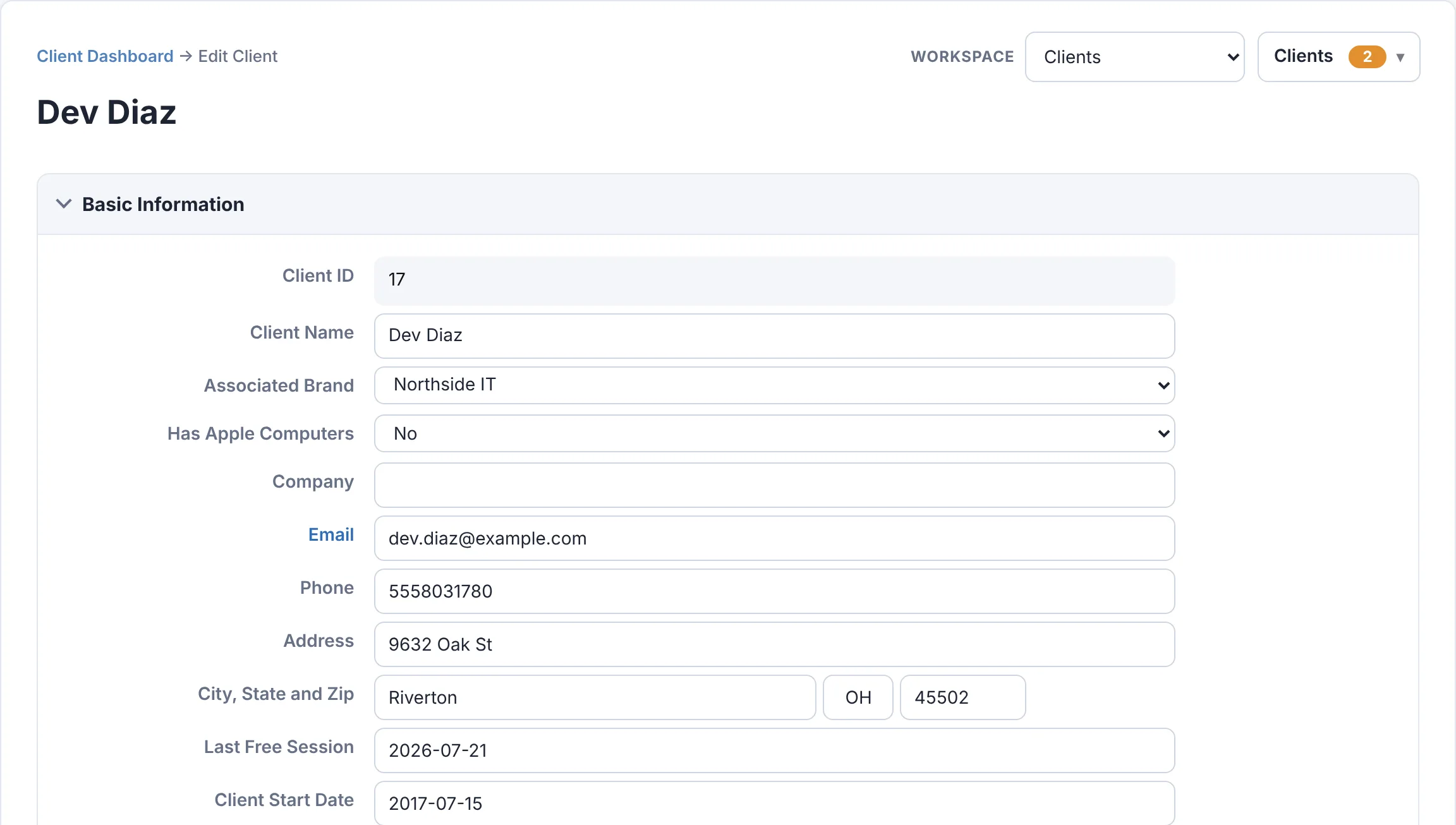
Everything about a client on one screen.
Contacts, company, address and start date, alongside their machines, plan and history. Changes save as you go.
- Search by name, company or client ID, or browse the full list with totals
- Pick the columns in your client list: hours, rebuilds and hardware left, machine count, last free session, client since, brand, email, phone or city New
- Run more than one brand? Tag each client with the brand they buy from, and see each brand's customers, loyalty plan clients, Bitdefender subscribers and managed backup licenses at a glance
- A Schedule link per loyalty plan, so each client's tray menu, dashboard and emails go straight to their plan's booking page New
- Sort and filter by alerts, name, company, number of devices, last seen or machine age, or show only the machines with alerts
- Each client's average internet speed, ping and jitter under their name, and a ping server of their own if you want one
Your clients see their own computers, under your name.
Invite anyone at a client from their client page. They choose a password and see their own computers with the same health checks you see, and nothing else.
- How many computers need attention, and their average internet speed, ping and jitter
- Your phone, email, website and a Schedule button, from the client's brand
- Remote access to their own PCs by subscription, paid straight into your own Stripe account
- Resend an invitation, switch remote access on or off, or remove someone from the same box
- Add View Client Dashboard to the tray menu of the computers you choose, such as the office manager's

Plans that track themselves.
Give clients a support plan with included service hours, rebuilds and hardware credit. Record what they use and the balance updates on the spot, with a full redemption history.
- Plan levels you define, with start and end dates and payment type
- Available benefits shown at a glance; anything overdrawn stands out
- Record or give back usage in a couple of clicks
- Plan totals across a search or your whole client list
- The client's Stripe subscription right beside their plan

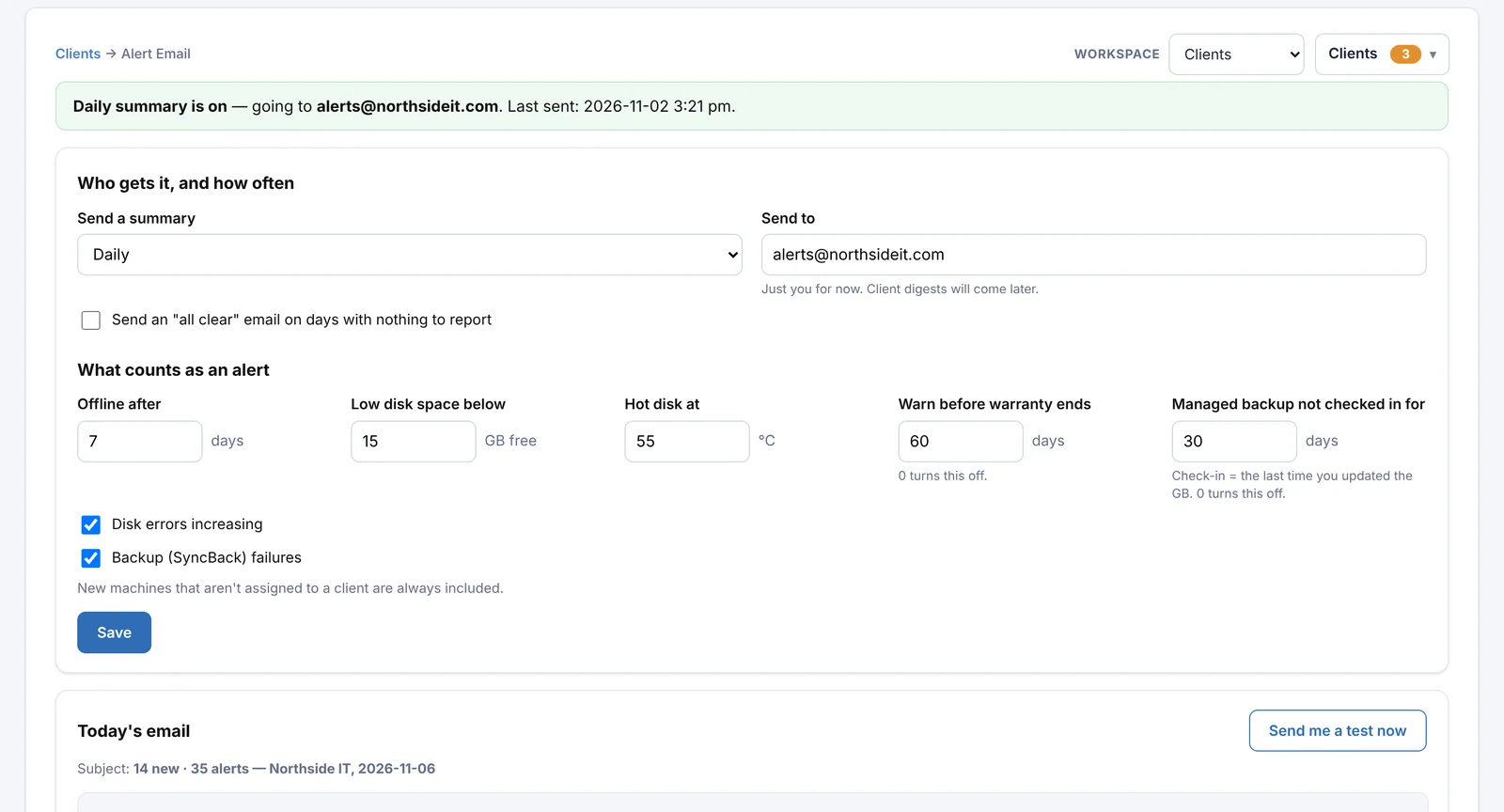
Backups you sell, tracked. Problems you'd miss, emailed.
Set each machine's backup plan and size right from the Alert Center, and get one summary in your inbox every morning.
- Backup levels you name yourself (Basic, Premium, Ultra…) with GB per machine and per client
- A reminder when a managed backup hasn't checked in for too long
- A flag when a machine's backup grows past its level (name a level "Basic 100GB")
- A daily summary of new machines, offline computers, low disk, disk errors, failed backups and warranties
- One-click client emails (low disk space, disk errors, failed backups) sent under your business name
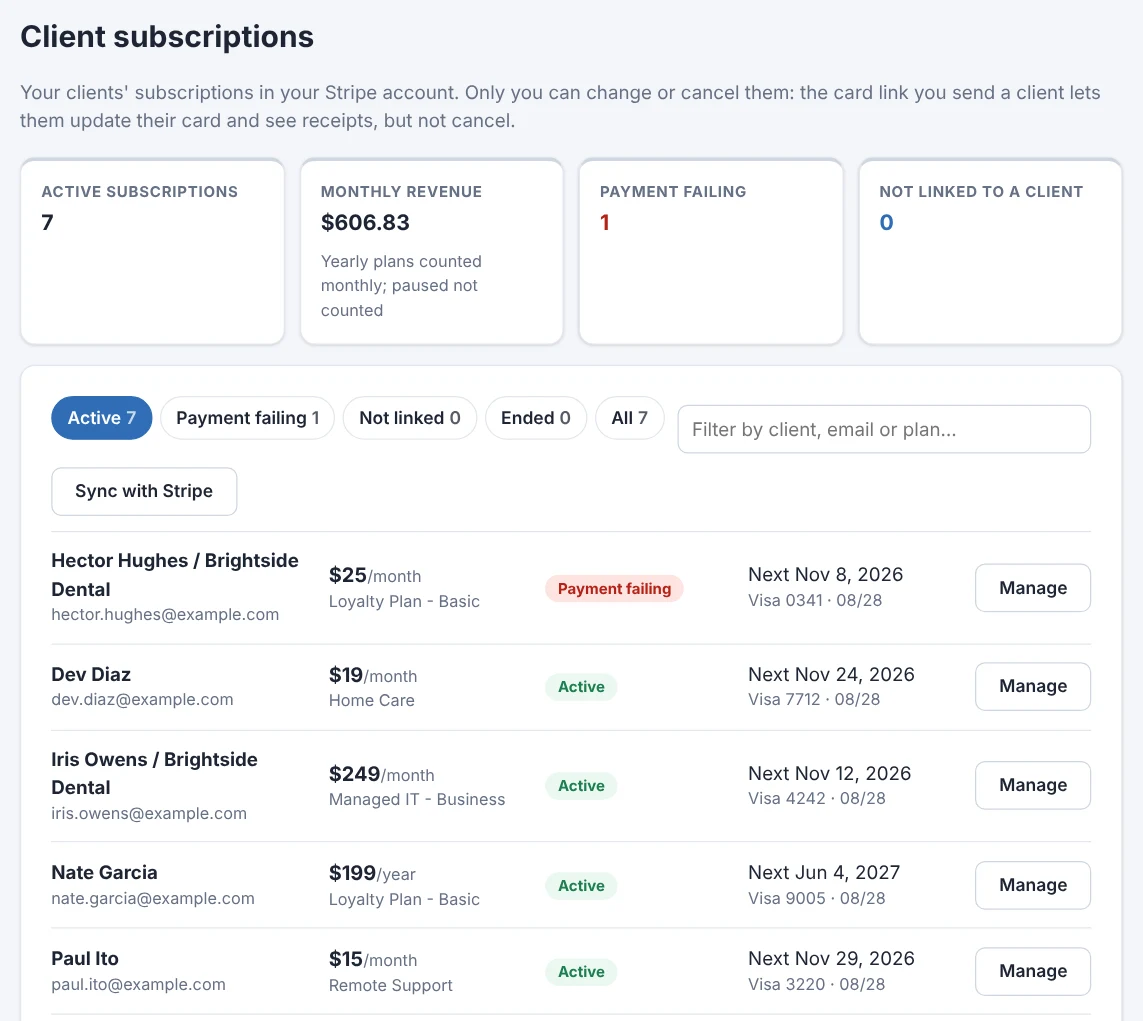
Your clients' subscriptions, run from the same place.
Connect your own Stripe account and every subscription in it shows up, matched to the right client. No middleman billing app, no extra monthly fee for one.
- Matched to clients by email, or linked by hand with a quick search
- Change the amount, pause, resume or cancel, from the next charge on
- Recent payments under each subscription: paid, failed with Stripe's next retry, refunds and receipts, plus what the next bill comes to New
- Only you cancel: email a card update link in one click, and clients can update their card and see receipts, nothing more
- Failing payments show up in the Alert Center, and sign-up links or forms start new subscriptions
- Monthly revenue at a glance; the money goes straight to your Stripe account
New clients sign up from your own website.
Make a sign-up form for each kind of plan you sell, then link to it or paste one line of code to embed it in any website. Payment happens on Stripe's secure page, and the new subscription lands in your list, matched to the client.
- One or more prices, billed weekly, monthly, quarterly, yearly or every few months
- Optional setup fee, free trial, and your own questions like "Business name"
- Coupons: percent or dollars off, once, for a few months or for good, with an end date or use limit, typed in a promo code box or applied from a link
- Your brand's name, logo and color; a thank-you message or your own page after
- Run more than one brand? Copy a form and pick the other brand in one step
- Pause a form any time; only you can cancel the subscriptions it starts
- One-time charges on a subscription: charge their card now or add it to their next bill, with your description on the receipt
- Refund a payment in full or in part, back to the card it came from New
- Pay-any-amount pages too, like MoonClerk's register: clients type what they owe, or your link fills the amount in

Built for how IT service businesses work
Everything here exists because a working support business needed it.
Your own database
Each workspace has its own private database. Your clients and their machines are never mixed with anyone else's.
Your name on emails
Client emails go out under the brand each client knows, with its logo and signature, from your own email settings.
Your whole team, no seat fees
Invite unlimited technicians, each with their own sign-in. Give them every client or just the ones you pick, while settings and billing stay with you.
Works anywhere
Check on a client from your phone between appointments. Nothing to install on your side.
Secure sign-in
Encrypted passwords and keys, protection against password guessing, and optional sign-in alerts and IP allow-lists.
Fully featured from day one
Client management isn't split into tiers: every workspace gets all of it for $99/month.
Build their websites too
The same workspace builds your clients' websites: fast, phone-friendly pages you edit in the browser, with no plugins to keep updated. See the website editor →
See it with your own clients.
Start a free 14-day trial. No credit card needed to start.